



Creating a backup in the cloud
If you follow us on Facebook, Twitter or are a regular reader of Tekee Tim's Tips, you'll know that we're a big believer in having as many backups as possible in order to ensure that you never lose any of your data.
Tekee Tim is full of useful hints and tips to get more out of your computers, tablets, smart phones and systems, and online services, so bookmark this page and keep coming back for more tips.
If you follow us on Facebook, Twitter or are a regular reader of Tekee Tim's Tips, you'll know that we're a big believer in having as many backups as possible in order to ensure that you never lose any of your data.
With everyone trying to work out the best way to allow their team to work from home due to Coronavirus, we thought we’d share some of the apps we’ve been using for years to allow our teams in different locations to work together and keep all our files and documents easily accessible by everyone.
We hope this helps you develop the best way of working from home and if you have any questions about remote working or need any help getting set up, just let us know at help@tekeez.uk
These days we all have passwords for everything and they all need to be unique, secure and cryptic but easy to access when you need them.
For years now we've been using and recommending 1Password as an easy way to create, store and enter passwords that match all the requirements above.
Temporary Password is a good way to send passwords securely, as it is a one time only use link, that way when you send over the link to someone in an email, once you confirm they have the password it's not going to be stored in your emails.
When you're looking to get more from your PC or Mac, the best place to start is by installing new applications that can expand the things that your computer can do. For example, you might want to install a game to play, install an app to allow you to access Twitter or Facebook without having to keep visiting their websites or install an app to help you keep notes or keep your photos organised.
If you find yourself having intermittent problems with websites loading slowly, email not working and seeing out of date websites, you could be having problems with your DNS servers.
All Internet Providers provide DNS as part of the connection and these convert a website name such as bbc.co.uk into the actual address of the website which is something like 63.194.125.69. Unfortunately the DNS Servers that you get with your Internet connection are usually pretty bad. They can be slow and out of date and we always recommend using better ones.
In this tip, we'll show you have to switch over to using faster and safer DNS on your Mac, Windows PC and your home router.
This tip on how to send files using Dropbox is one of our most popular tips as this topic comes up a lot. Sending large files by email is never a good idea as it fills your email account up unnecessarily and can make your email slow to a crawl while it tries to send the file.
We've updated this tip a few times to make sure it fits with the latest versions of Dropbox for your devices.
One of the most useful new features in the recent iPadOS 13.4 was the ability to use a trackpad or mouse with your iPad. This makes the iPad much easier to use if you already have an external keyboard connected and have the iPad propped up where it's not easy to tap the screen.
In this tip, we'll show you how to get started with a trackpad or mouse on your iPad.
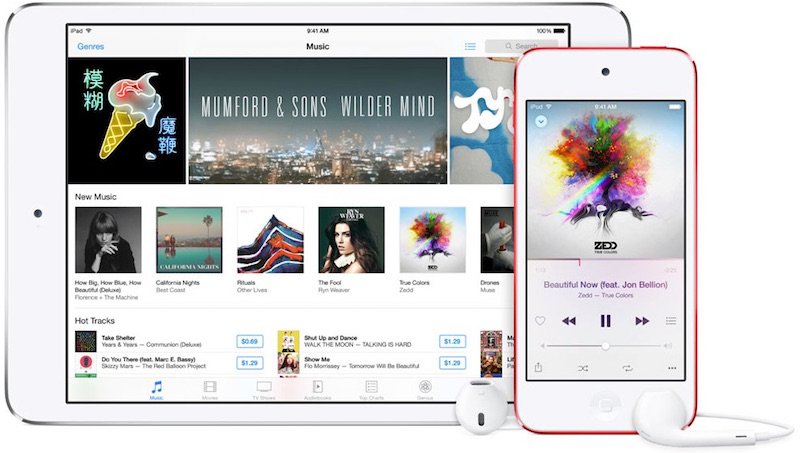
Playlists are a great way to keep track of your favourite music in iTunes, they let you have quick access to the tracks that you want to listen to and you can easily swap songs in and out as you need to.
iTunes can also make you playlists automatically based on a few criteria. In this tip, we'll show you how to create a Smart Playlist.
One of the best new features in the lastest update for macOS and iPadOS is Sidecar which allows you to use your compatible iPad as a second screen for your Mac. We'll give you a quick rundown of some of the features here.
Apple replaced iTunes in macOS Catalina with the new Apple Music app. A lot of the functions for music are the same but creating playlists and adding songs is slightly different so we thought it was time to revisit how to make a playlist of your favourite music.
If you use Microsoft Office (Word, Excel & PowerPoint) then you can use OneDrive to keep your documents in sync between your devices and allow you to work wherever you are. If you have an Office365 subscription then you already have 1TB of OneDrive space or you can sign up for a free account and get 5GB of space.