


help@tekeez.uk

0333 023 0001

help@tekeez.uk

0333 023 0001

Tekee Tim's Tips

Tekee Tim

Tekee Tim's Tips

Tekee Tim is full of useful hints and tips to get more out of your computers, tablets, smart phones and systems, and online services, so bookmark this page and keep coming back for more tips.

Tip Search

When do I right click?

One shortcut that can save a lot of time on Windows and Mac computers but not everyone knows about is using the right mouse click to pop up a menu giving quick access to some often used commands. The commands that you can access when you right click change on what your mouse is over at the time but usually always provide a quick way to access commands that you might usually go back to the menu for.

Read More

How can I set up an email signature?

Having a signature on your outgoing email is a great way to ensure that people always have your contact details or other information to hand so in this tip we'll show you how to set up a signature on a few different devices.

Read More

Spotting a fake email

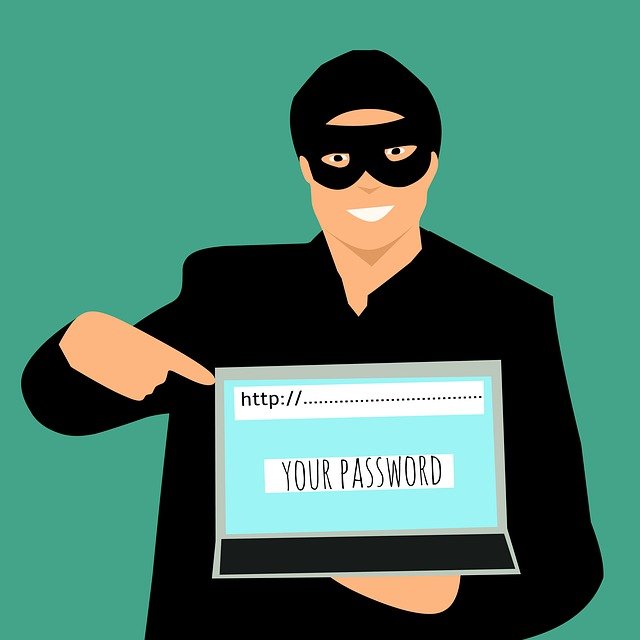
​One of the most common types of scams aimed at businesses at the moment is sending a spoof email asking for a payment to be made. These are usually worded to make it sound urgent so no time is taken to double check but there are usually a couple of tell tale signs which we'll run through here.

Read More

Working from home

With everyone trying to work out the best way to allow their team to work from home due to Coronavirus, we thought we’d share some of the apps we’ve been using for years to allow our teams in different locations to work together and keep all our files and documents easily accessible by everyone.

We hope this helps you develop the best way of working from home and if you have any questions about remote working or need any help getting set up, just let us know at help@tekeez.uk

Read More

Creating a backup in the cloud

If you follow us on Facebook, Twitter or are a regular reader of Tekee Tim's Tips, you'll know that we're a big believer in having as many backups as possible in order to ensure that you never lose any of your data.

Read More

Want to stay extra secure online?

Everyone knows that it's very important to keep all your online accounts (Facebook, Google, iCloud, email etc.) as secure as possible to ensure that no one else gets access to any of your personal information.

We thought it was time to update our advice with a system that can add an extra layer of safety to ensure that you're even more secure by using 2 Factor Authentication.

Read More

Avoiding online scams

Following any large scale cyber incident, such as the recent CrowdStrike issue that took down millions of Windows PC, there's always a surge of scam emails trying to cash in on that event so we thought we'd go into a bit more depth about how to spot and avoid online scams.

Read More

Secure your Apple account

If you have an Apple ID or an iCloud account, it's a great idea to switch on Two Step Verification to make sure your account is extra secure. Two Step Verification adds an extra layer to logging into your account, as well as your ID and password, you then need the extra code that comes out to your devices. Without this code, no one can access your account.

Read More

Setting up 2FA on Office 365

One of the best things you can do to increase the security of your online accounts is to set up 2 Factor Authentication. This gives you an extra code you need to sign into your account, in addition to your username and password. In this tip we'll show you how to set this up on your Office 365 account.

Read More

What is private browsing?

​Almost every web browser now has a private browsing mode and there are even apps for mobile devices to help you browser privately, but it's not always as private as you might think and we'll run through what is and isn't private in this tip.

Read More

Accessing your emails out and about

Most people now have more than just one PC at home or in the office, so it’s important to know how to access your emails when you’re away from your main PC.

Almost all the major email providers have a few ways for you to do this and we’ll take a look at those options here.

Read More

Secure Payments

Remote Session

Featured Product

Why not follow us?

Follow Tekeez on TwitterVisit Tekeez on Facebook

Tekeez support both PC/Windows users and Mac users equally, so whether you have a Mac or a PC we can help.

Tekeez are proud to have been providing legendary IT Superhero services and support for 30 years, since 1994.

Why not try our services and discover the secret of our success?

Tekeez - Super Tim - Legendary Service
Tekeez - IT Superheroes - Ready for action!

QUICK ENQUIRY FORM

This field must contain Alpha Numeric characters
You have not reached the minimum amount of characters required for this field
Thank you! Your enquiry was successfully sent :-)×
Oops! Some went wrong... Your enquiry did not go through :-(×

Scan to download our contact details!

Scan to get Tekeez contact details
© 1994-2026 EuroSolve Ltd - Tekeez® is a registered trademark and brand of EuroSolve Ltd
0333 023 0001.

Tekeez® Caerphilly:
Britannia House • Caerphilly Business Park • Van Road • Caerphilly • CF83 3GG

Tekeez® Oxford:
Prama House • 267 Banbury Road • Oxford • OX2 7HT